Design & Communication
Service Blueprinting: How to Fix a Broken Customer or User Journey Before Building Technology
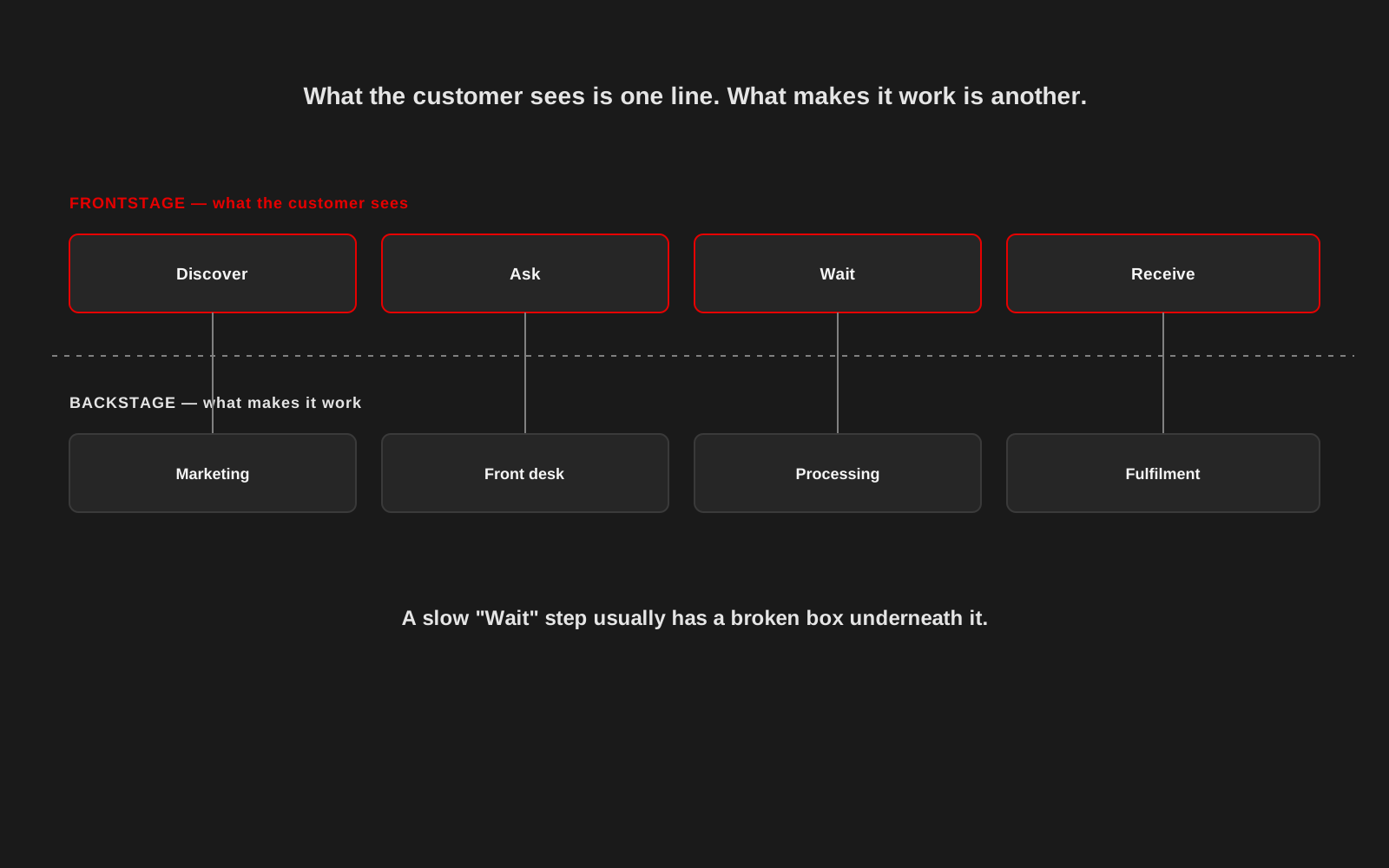
An organisation often tries to fix a slow, confusing journey by building a better app or a faster website. Sometimes that works. Often it just puts a nicer interface on top of a process that was never going to be fast.
A service blueprint is a simple way to see both halves of the problem at once: what the customer or user actually experiences, and what has to happen behind the scenes to make that experience possible. It is a mapping technique, not a piece of software, and it is useful long before anyone starts designing screens.
Two lines, not one
A blueprint splits the journey into a frontstage line, the steps the customer sees and feels, and a backstage line, the work that supports each of those steps: who handles it, what system it touches, how long it takes, and where it can go wrong. Most journey maps only draw the frontstage. That is why they explain what is broken without explaining why.
Start with the frontstage steps in plain language
Write the journey the way the person living it would describe it: discover, ask, wait, receive, rather than internal department names. Keep each step to what the person actually experiences, not what your organisation calls that stage internally.
Then map what sits underneath each step
For every frontstage step, ask who does the work, what tool or system they use, how long it typically takes, and what has to be true for it to go smoothly. This is usually where the real problem surfaces. A "Wait" step that frustrates customers is rarely mysterious once you see the manual approval, the missing handoff, or the system that does not talk to the next one.
Look for the gaps, not just the slow steps
The most useful moments in a blueprint are the handoffs: where one person's work ends and another's begins, where a paper form becomes a spreadsheet, where a phone call has to happen because two systems cannot share data. Delay and confusion collect in these gaps far more than inside any single step.
Involve the people who actually do the backstage work
Leadership's idea of how a process works and the frontline team's daily reality are often two different diagrams. The people processing the requests, answering the phone or handling the paperwork usually know exactly where things break down, because they absorb the consequences every day. A blueprint built without them is a guess.
Fix the process before you design the interface
A well-designed screen sitting in front of a broken backstage process just makes the wait feel more polished. Once the blueprint shows where the actual friction is, some of it turns out to need a process change, a staffing decision or a policy fix, not a line of code at all. Only the parts that genuinely need a digital solution should turn into a design or development task. This is close to how Studio 1947 approached information architecture on projects like the Jan Sahas Social Empowerment Society website and AWCH: understanding the real task before deciding what the interface needed to do.
Keep the blueprint alive, not framed on a wall
A blueprint is most useful as a working document the team returns to when something changes: a new tool, a new policy, a new team member taking over a step. Revisit it when complaints repeat in the same place, not only at the start of a big redesign project.
Understand the whole journey before you build anything
Studio 1947 works across research, design and technology to map how a service actually works before deciding what needs to be built. See our Data, Design & Tech work, or talk to us about a journey that isn't working.