Design & Communication
Designing Multilingual Websites in India: UX, Typography and Content Across Languages
A multilingual website is not an English website with extra text files. Language changes navigation, layout, typography, search, URLs, content operations and the way people understand the organisation.
In India, this becomes especially visible because one website may need to work across several languages and scripts at the same time. The first decision is not which translation plugin to install. It is which audiences need which language experience, and who will maintain it after launch.
Decide what multilingual means for the organisation
Not every website needs every page in every language. There are several models: full translation of the complete website, selected key pages in multiple languages, programme or region-specific languages, bilingual service journeys, or translated resources sitting alongside a primary site language. Choose based on user need and editorial capacity. A half-maintained translated website can be more confusing than a smaller language section that is kept accurate.
Make language selection visible
A language switcher should be easy to find and should name languages in a way users recognise. Do not hide it behind an unclear globe icon if language access is important to the audience. When a user changes language, keep them on the equivalent page where possible. Sending everyone back to the homepage creates unnecessary work. Remember the choice during the session when appropriate.
Design components for text expansion
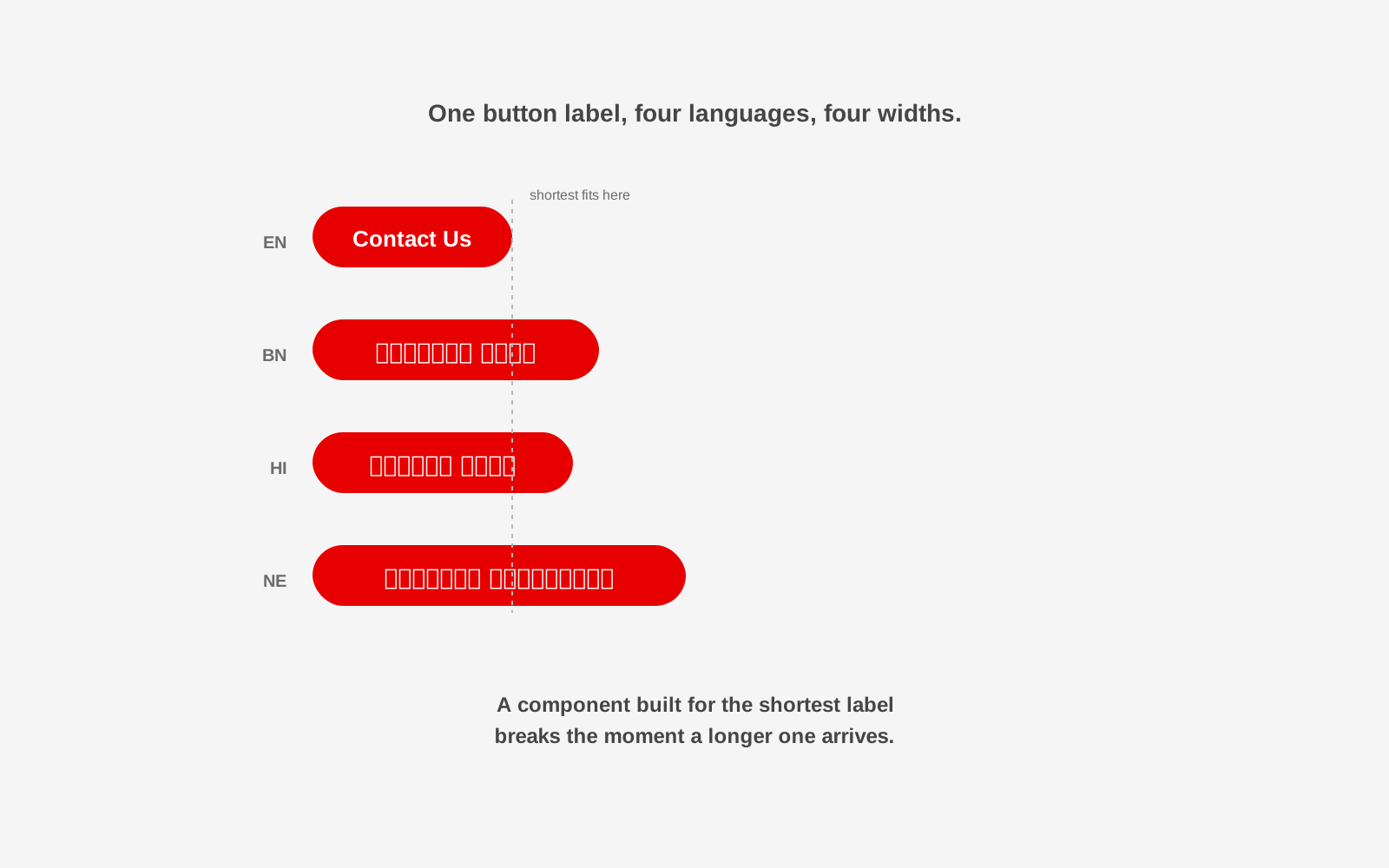
Translated text is rarely the same length as the original. A short English navigation label may become longer in another language. Buttons may wrap. Cards may become taller. Headings may take an extra line. Design systems should allow this: avoid components that depend on every label fitting into a fixed width, and test real translations early instead of using placeholder text until the end.
Typography needs script-aware testing
A typeface that looks strong in Latin may not provide a matching Bengali or Devanagari family. Even when fonts support several scripts, the visual weight, line height and perceived size may differ. Test body text readability, bold weights, headings, numerals, punctuation, line height, form fields and mobile rendering. Do not force scripts into identical visual measurements if that makes one language harder to read.
Translation and localisation are different jobs
Translation changes language. Localisation asks whether the meaning, example, image, unit, date, form and action make sense for the audience. A literal translation of an institutional phrase may be grammatically correct and still feel unfamiliar. The right wording may require someone who understands both the language and the context of use.
Studio 1947's multilingual work with Rajkamal Prakashan is a useful example of language treated as part of the communication system rather than an afterthought: the same central invitation had to work across many Indian languages and scripts while remaining part of one identity.
Build the CMS for translation workflows
Multilingual content creates operational questions. Who translates a new page? Who approves it? What happens when the English source changes? How does the editor know a translated version is outdated? The CMS should help answer these questions with language-specific fields, translation status, source update warnings, per-language publishing, shared media where appropriate, separate SEO fields, and fallbacks that are explicit rather than accidental. The right model depends on the team.
Give each language a crawlable URL
For search visibility, each language version should normally have a stable URL and correct language signals. Common patterns keep one language per path segment, such as /en/page/, /hi/page/, /bn/page/ and /ne/page/. The exact structure matters less than consistency. Use appropriate hreflang annotations when the pages are true language or regional alternatives, keep canonical tags correct, and do not automatically redirect search visitors based only on IP or browser language in a way that blocks access to alternatives. Implementation should follow current search engine documentation when the site is built.
Translate metadata too
A translated page with an English title tag is only partly translated. Review the title, meta description, headings, image alt text where meaning changes, navigation, breadcrumbs, structured data fields where appropriate, and share metadata. Search behaviour can differ by language, so keyword research should not simply translate an English keyword word-for-word.
Design forms carefully
Forms often reveal multilingual problems late. Check field labels, validation messages, consent text, date formats, address formats, input expectations, confirmation messages and error states. A language switcher is not enough if the form errors return in English.
Test with people who actually use the language
Automated translation can help with drafts and repetitive workflows, but it should not be the final quality check for important public content. Ask fluent users to test the website in context: can they understand the navigation, does the tone feel natural, are key terms appropriate for the region or sector, do line breaks make reading awkward, does mobile still work. This is especially important for public services, health, education and rights-based organisations where unclear language has consequences.
Multilingual design is a system problem
The challenge is not to make four versions of every page manually. The challenge is to build one system that respects the differences between languages while remaining maintainable. That requires design, content operations and technology to be planned together, from the same redesign planning and content architecture that any serious website project starts with.
Adding another language should not break the interface or the editorial workflow
Studio 1947 works across design systems, localisation, information architecture and web development for organisations working across languages and communities. See our Data, Design & Tech and Communication & Campaign work, or discuss your multilingual digital product.